Announcement · May 17, 2026 · 5 min read
Introducing Pipelines in Company Agents.
Workflows handle one job. Pipelines handle the chain of jobs a business needs to keep doing. Live in Company Agents today.
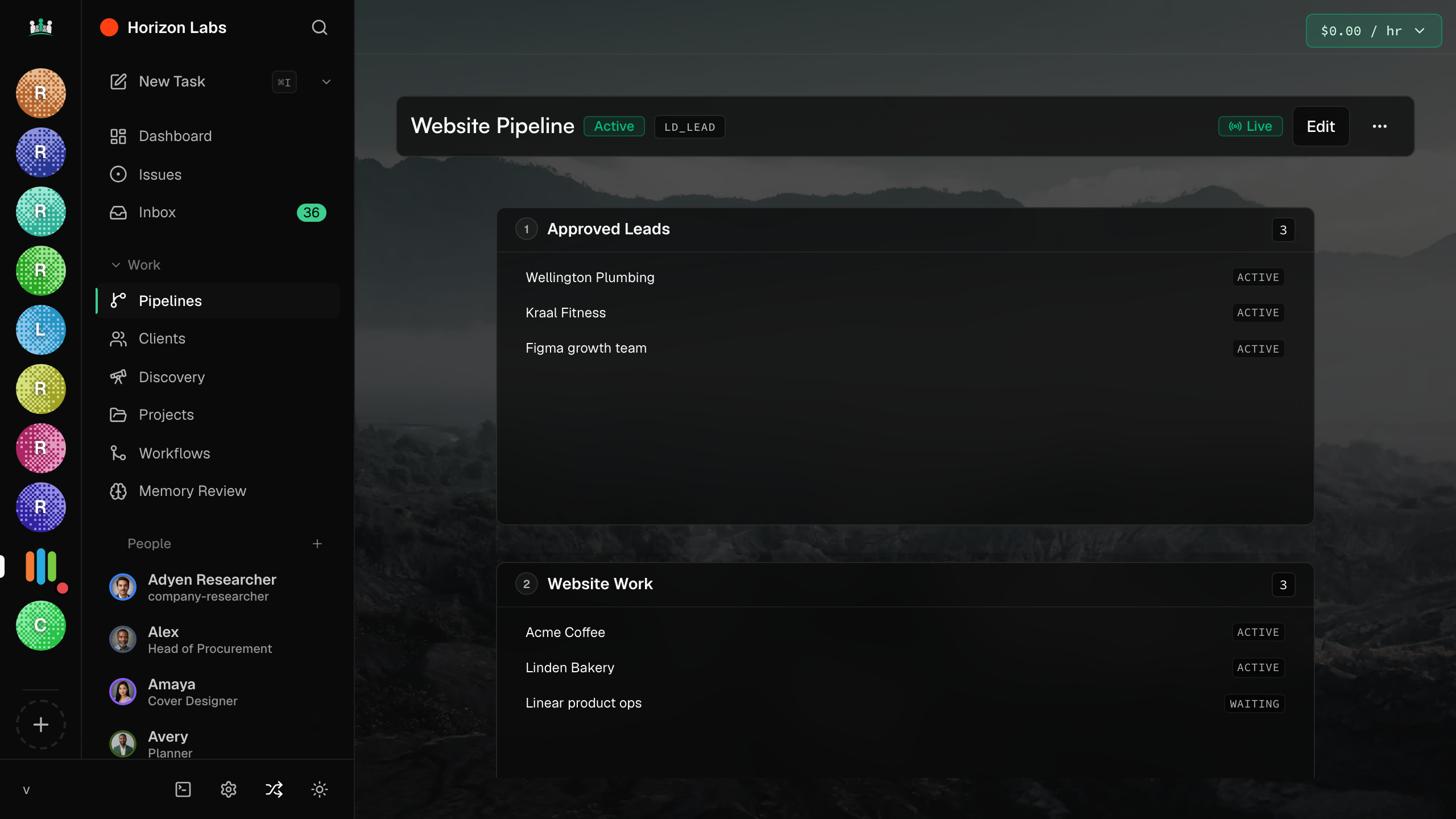
Pipelines are live in Company Agents. A Pipeline is a chain of Workflows that runs across days and weeks instead of inside one job. Onboarding a new client is a Pipeline. Releasing a product is a Pipeline. Running a marketing quarter is a Pipeline.
How Pipelines differ from Workflows
A Workflow is a single job: a sequence of stages from start to finish. A Pipeline is a chain of Workflows that persists between runs. The state from one Workflow is available to the next. A trigger (a calendar event, a webhook, a human button) starts the next stage.
Workflows are how a job runs. Pipelines are how a business runs.
The shorthand
What a Pipeline looks like
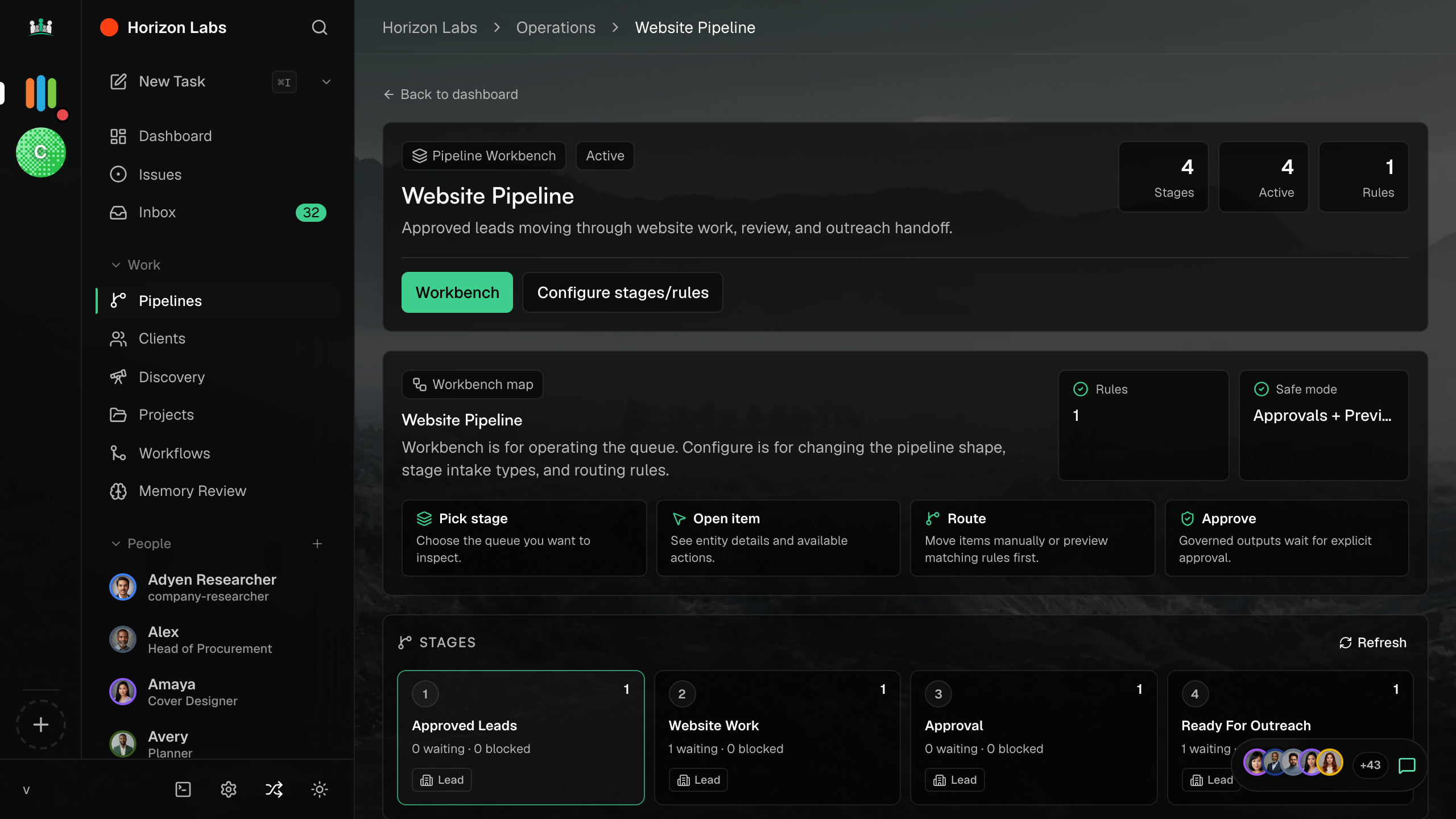
Stages, like a Workflow, but each stage is itself a Workflow. Between stages there are gates: an approval gate, a wait gate (until a date or trigger), or a branch gate (which Workflow runs depends on the previous stage’s outcome). State persists across the whole Pipeline.
The first template: Client onboarding
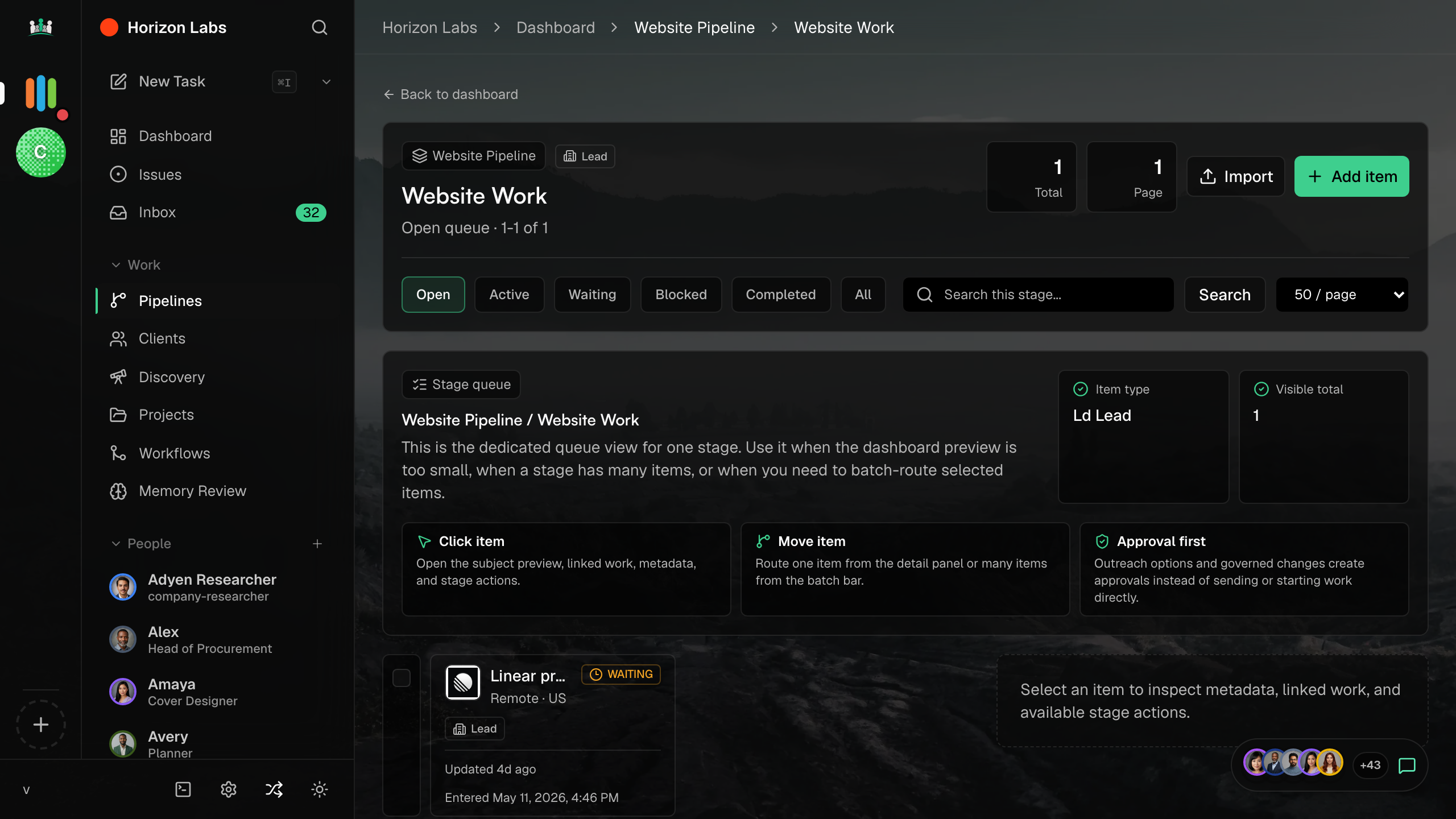
A real Pipeline template ships today. Client onboarding turns a new sign-up into a sequence: initial brief, research, proposal, kickoff, first deliverable. Each stage is a Workflow you can edit. The whole Pipeline runs over weeks. A human approves the proposal stage and the first deliverable stage.
When to reach for a Pipeline
What ships today
Pipelines, the Pipeline index, the Pipeline detail view, the Client onboarding template, and the trigger system are all generally available. Documentation is in the handbook.